
Choosing between QuickBooks and an ERP system is one of the biggest software decisions a growing business can make. Both help you manage finances, but their purpose, scope, and capabilities are very different.
In this guide, we’ll explain how QuickBooks and ERP systems compare, when each is the right fit, and how to decide which one your business should invest in.
What Is QuickBooks?
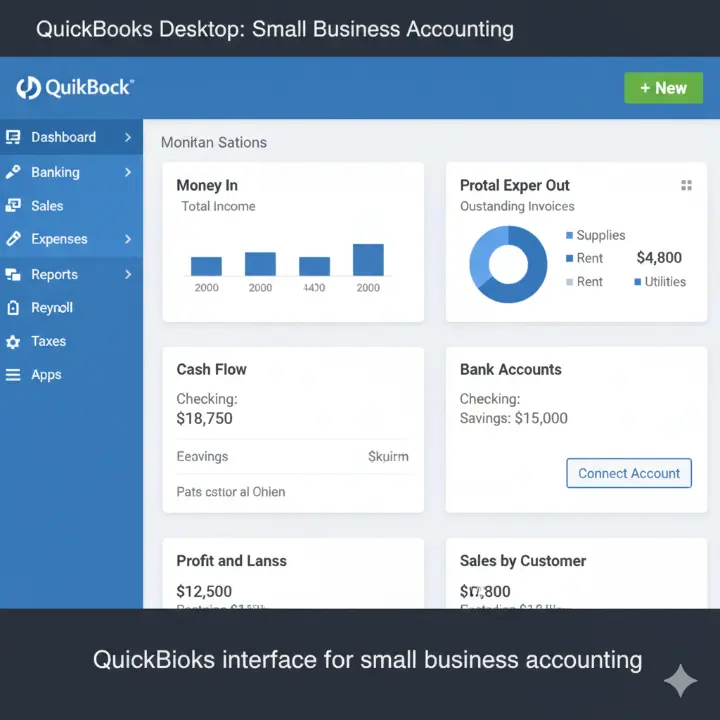
QuickBooks is accounting software developed by Intuit. It’s built for small and medium businesses that need to manage daily financial tasks like:
- Invoicing and billing
- Expense tracking
- Payroll management
- Bank reconciliation
- Financial reporting
There are different versions available — QuickBooks Online, QuickBooks Desktop, and QuickBooks Enterprise — each designed for specific company sizes and requirements.
When QuickBooks Works Best
QuickBooks is ideal if you:
- Run a small business with simple workflows
- Don’t have complex inventory or manufacturing needs
- Want quick setup with minimal cost
- Prefer easy-to-use software over deep customization
It’s a great entry-level system that helps startups and service-based businesses maintain financial clarity without major investment.
What Is ERP?
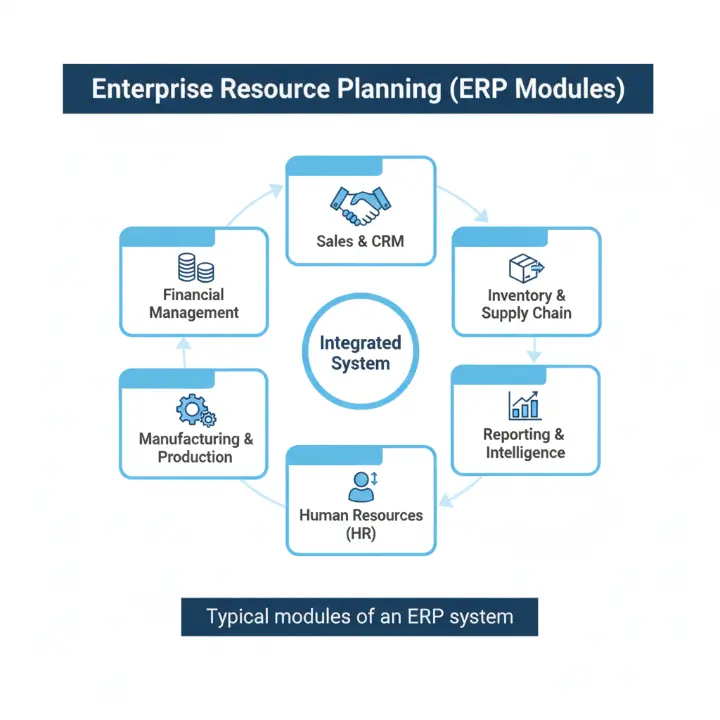
ERP (Enterprise Resource Planning) software is a complete suite that connects your company’s core processes — finance, operations, supply chain, HR, CRM, and more — into one unified platform.
An ERP system helps every department work with the same real-time data, reducing duplication, manual entry, and reporting delays.
Common ERP Modules
Most ERP systems include:
- Financial management and accounting
- Inventory and warehouse management
- Supply chain and procurement
- Customer relationship management (CRM)
- Human resources and payroll
- Manufacturing and production planning
ERP Deployment Options
- Cloud ERP: Hosted online, subscription-based, accessible from anywhere
- On-premise ERP: Installed locally, greater control but higher maintenance
QuickBooks vs ERP: A Detailed Comparison
Here’s how QuickBooks and ERP stack up side by side:
| Feature | QuickBooks | ERP System |
|---|---|---|
| Primary Purpose | Accounting and bookkeeping | End-to-end business management |
| Core Functions | Invoicing, payroll, expenses | Finance, inventory, HR, CRM, supply chain |
| Integration | Limited, depends on add-ons | Fully integrated modules |
| Scalability | Best for small to medium businesses | Ideal for medium to large enterprises |
| Customization | Minimal customization | Deep customization for industry needs |
| Reporting | Basic financial reports | Real-time dashboards and advanced analytics |
| Cost | Low initial cost | Higher investment but greater long-term ROI |
| Implementation | Simple setup | Longer implementation and training required |
| User Access | Basic permissions | Advanced role-based access control |
| Compliance & Audit | Limited | Strong compliance, audit trails, controls |
In Short
- QuickBooks focuses mainly on financial tasks.
- ERP offers a complete picture of your business — financial and operational.
Get Free Demo
When QuickBooks Is Enough
Not every company needs an ERP system — at least not right away. QuickBooks can work perfectly if:
- You have fewer than 50 employees
- You manage limited product lines or services
- Your operations are local, not multi-branch or global
- You can manage with basic reporting
- You’re just starting and need to control costs
Example:
A small digital agency with 10 employees can easily handle billing, salaries, and expense tracking using QuickBooks Online. They don’t need the complexity of ERP just yet.
When You Should Consider an ERP System
As your business grows, you may start to feel the limits of QuickBooks. Here are signs it’s time to upgrade:
- You rely heavily on spreadsheets to combine data from multiple tools.
- Reports are delayed, incomplete, or inconsistent across departments.
- Your inventory and accounting don’t match due to lack of integration.
- You manage multiple entities or branches and need consolidated reports.
- Your team spends hours on manual data entry or reconciling numbers.
- You need advanced analytics for forecasting, costing, or supply chain visibility.
- Compliance and audit requirements are becoming more complex.
If these apply, an ERP system can unify your operations, save time, and help you scale efficiently.
Pros and Cons Summary
QuickBooks Pros
- Affordable and easy to use
- Fast setup and low maintenance
- Large ecosystem of add-ons
- Perfect for startups and small teams
QuickBooks Cons
- Limited scalability
- Manual data handling between departments
- Weak in inventory, CRM, and production modules
- Not ideal for multi-branch or global operations
ERP Pros
- Centralized database for all business functions
- Scalable and customizable
- Strong analytics and real-time insights
- Supports compliance, multi-location, and multi-currency
ERP Cons
- Higher upfront and implementation cost
- Longer learning curve
- May be overkill for small, simple businesses
Hybrid Approach: QuickBooks + ERP Modules
Some companies adopt a hybrid model before fully switching. For example:
- Continue using QuickBooks for accounting
- Integrate inventory or CRM modules from an ERP solution
- Gradually migrate departments to ERP over time
This approach reduces risk, spreads cost, and helps teams adapt gradually.
Example:
A growing retail business keeps QuickBooks for finance but integrates ERP-based inventory management for real-time stock tracking.
How to Choose the Right Path
If you’re unsure whether to stay with QuickBooks or move to ERP, use this decision checklist:
| Question | If Yes → Consider ERP |
|---|---|
| Are you managing multiple business units or locations? | ✅ |
| Do you have complex inventory or production processes? | ✅ |
| Do you need real-time analytics beyond financials? | ✅ |
| Is manual data entry slowing you down? | ✅ |
| Are you planning significant growth or expansion? | ✅ |
Steps to Decide
- Evaluate your pain points — where is your current system failing?
- Set your growth goals — will QuickBooks support them in 3 years?
- Compare total cost of ownership (software, training, downtime).
- Assess your team’s readiness — ERP requires cultural and process change.
- Talk to experts — get professional advice before migrating.
Internal Link Suggestion: Add a CTA linking to MANTECHIT’s ERP Consulting & Implementation Services.
Case Example: A Business Outgrowing QuickBooks
ABC Manufacturing used QuickBooks for years. But as they expanded to three warehouses, inventory mismatches caused delivery delays and reporting issues.
After moving to an ERP system, they achieved:
- Real-time visibility into production and stock levels
- 30% faster month-end closings
- 40% fewer order errors
ERP helped them make faster, data-driven decisions and eliminated manual spreadsheets.
Cost Comparison: QuickBooks vs ERP
| Cost Factor | QuickBooks | ERP |
|---|---|---|
| Software License / Subscription | $25–$200/month | $100–$1000+/month (per user or module) |
| Implementation Time | Days to weeks | 3–6 months (average) |
| Customization | Limited | Extensive |
| Training & Support | Minimal | Essential |
| ROI | Quick wins | Long-term efficiency and control |
Remember: while ERP is more expensive initially, it can save money long term through automation, efficiency, and reduced errors.
Conclusion: The Right Software Depends on Your Growth Stage
QuickBooks is perfect for small, simple businesses. ERP is ideal for organizations that are scaling fast and need full operational control.
If your team spends more time managing data than analyzing it — it’s time to upgrade.
👉 At MANTECHIT, we help businesses assess, implement, and optimize ERP systems suited to their size and industry.
Ready to transform how your business runs?
Contact our team today for a free ERP readiness consultation.
FAQs
No. QuickBooks is accounting software. It handles financial data but doesn’t integrate supply chain, HR, CRM, or operations modules like a true ERP.
When your company starts managing multiple departments, locations, or inventory systems that require real-time integration and visibility.
Yes. You can connect QuickBooks with ERP modules using APIs or middleware to sync financial and operational data.
QuickBooks costs less upfront. ERP costs more but delivers higher value over time through automation and scalability.
A small implementation can take 3–6 months. Larger systems can take 6–12 months depending on complexity and customization.