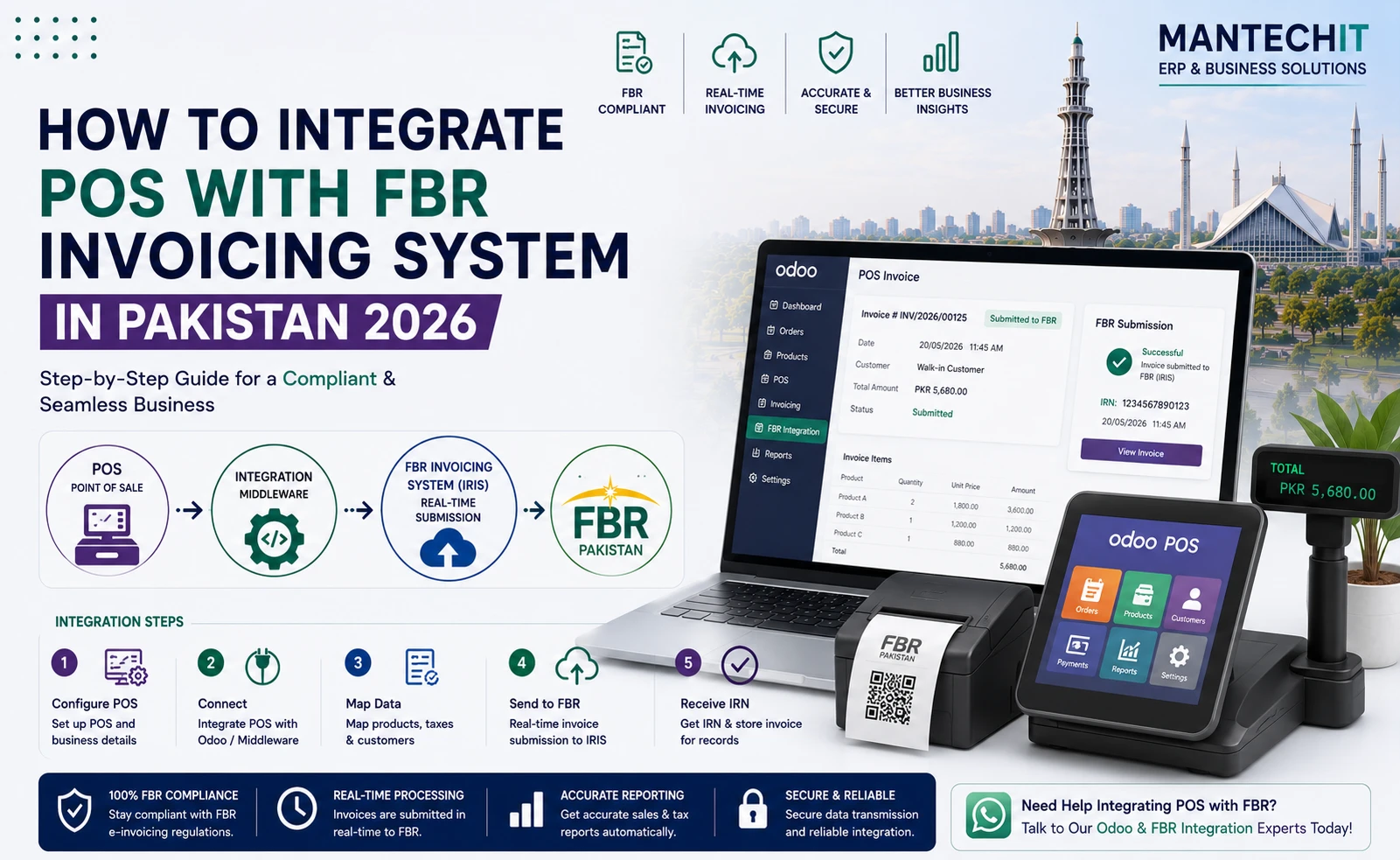
If you run a retail business in Pakistan, whether a boutique in a mall, a pharmacy chain, a supermarket or a restaurant chain, there’s a good chance FBR requires you to use an FBR-integrated POS system. Such a system sends every sale to FBR in real time and prints an FBR invoice number and QR code on each receipt.
FBR teams regularly inspect retail outlets in Lahore, Karachi, Islamabad and Faisalabad. Businesses that should be integrated but aren’t can face fines and, in serious cases, sealing of premises.
This guide explains FBR POS integration step by step: who needs it, what the FBR POS system must do, how FBR POS registration works on IRIS, which FBR POS software to choose, what hardware you need, and what it costs.
Need FBR POS integration for your store? MantechIT sets up Odoo POS with live FBR integration for single and multi-branch retailers. Book a free demo →
How to Integrate POS with FBR
- Check if you are a Tier-1 retailer that must integrate.
- Make sure your NTN and sales tax registration (STRN) are active.
- Choose FBR POS software with a live API connection to FBR. Manual upload doesn’t count.
- Register your POS and each branch and terminal on FBR’s IRIS portal.
- Set up products and tax rates in the POS.
- Test in FBR’s sandbox before going live.
- Set the receipt to print the FBR invoice number and QR code.
- Train cashiers, go live and monitor every transmission.
What Is FBR POS Integration?
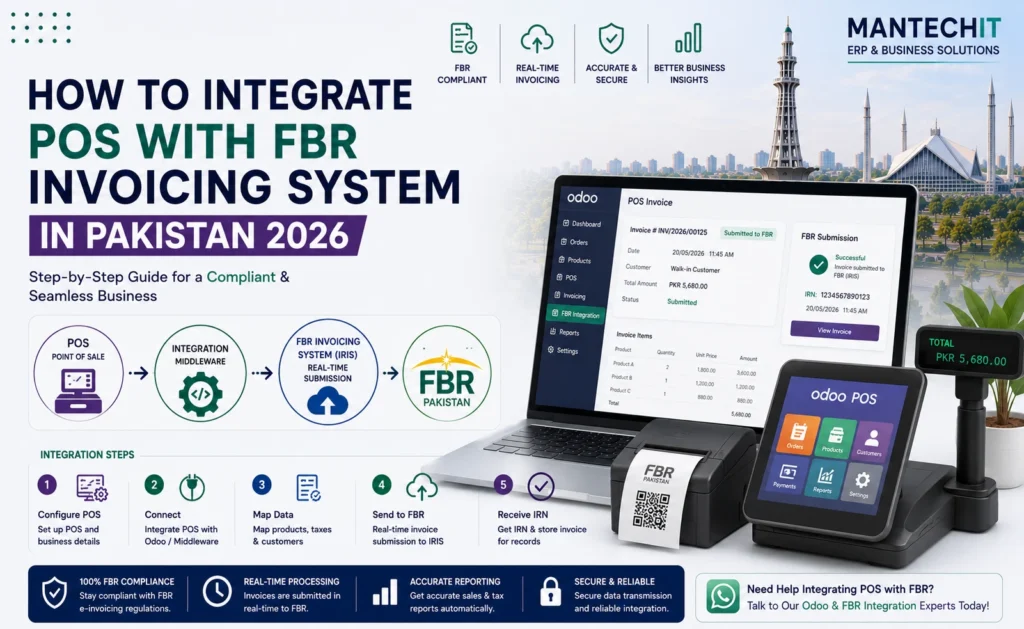
FBR POS integration is the live connection between your shop’s point-of-sale system and FBR. Every time a cashier completes a sale, the POS:
- Sends the invoice data to FBR through an API
- Receives a unique FBR invoice number back
- Prints that number and a QR code on the customer’s receipt
Together, your POS and FBR’s system work as the FBR POS invoicing system: the shop records the sale, and FBR records and numbers the invoice. Customers can scan the QR code or check the invoice number to confirm the sale was reported to FBR. FBR has used apps such as Tax Asaan and its POS invoice prize scheme for this.
FBR POS vs FBR Digital Invoicing: What’s the Difference?
People often mix up two FBR systems:
| FBR POS Integration | FBR Digital Invoicing (DI) | |
|---|---|---|
| Used by | Tier-1 retailers selling to consumers | Registered businesses issuing sales tax invoices, mostly B2B |
| Where | Shop counter / POS terminal | ERP, accounting or invoicing software |
| Output | Receipt with FBR invoice number + QR | Electronic sales tax invoice sent to FBR |
| Typical user | Mall stores, chains, pharmacies, restaurants | Manufacturers, distributors, wholesalers |
Many businesses need both. A company may run retail stores (POS) and also sell wholesale to other registered businesses (DI). Odoo can handle both from one system.
Who Needs an FBR POS System? (Tier-1 Retailers)
Under Pakistan’s sales tax law, Tier-1 retailers must integrate their POS with FBR. Broadly, you are likely Tier-1 if your business is:
- Part of a national or international chain of stores
- Located in an air-conditioned shopping mall, plaza or centre
- A shop above the size threshold set in the law for your area
- Paying electricity bills above the yearly threshold set by FBR (commonly cited as PKR 1.2 million in the last 12 months)
- A wholesaler-cum-retailer or importer selling directly to consumers
- Notified by FBR as a Tier-1 retailer
Common Tier-1 businesses: fashion and shoe brands, pharmacy chains, supermarkets and marts, electronics showrooms, restaurant and café chains, bakeries with multiple outlets, jewellery stores, and shops in malls such as Packages Mall, Emporium Mall and Dolmen Mall.
Thresholds and categories are set by the Sales Tax Act and FBR notifications and can change. Confirm your status with your tax advisor or the FBR helpline (051-111-772-772).
What Must an FBR POS System Do?
Before choosing any FBR POS software, make sure it meets these requirements:
| Requirement | What it means |
|---|---|
| Real-time transmission | Every sale sent to FBR through the API at the time of sale, not batch-uploaded later |
| FBR invoice number | Unique number from FBR for each sale |
| QR code on receipt | Customer can verify the sale |
| Seller details | Business name, NTN/STRN on the receipt |
| Tax breakdown | Sale value, tax rate and tax amount per invoice |
| Correct numbering | No gaps or duplicate invoices |
| Offline handling | Sales continue during internet outages and sync once back online |
| Returns & refunds | Handled through the system, not deleted |
Tip: FBR charges a small POS service fee per invoice, collected from the customer. Your POS should add it automatically, at the current rate notified by FBR.
Step-by-Step: How to Integrate POS with FBR Invoicing System
Step 1 — Confirm Your FBR Registration
Before integration, your business needs:
- Active NTN
- Active sales tax registration (STRN)
- Business and branch details updated on IRIS
If you are not registered yet, contact your tax advisor, the nearest Regional Tax Office (RTO), or the FBR helpline.
Step 2 — Choose FBR POS Software
Your POS must connect to FBR through the official integration method. Check these points:
- Live API connection to FBR, not manual upload
- Offline mode with automatic sync
- Multi-branch support if you have more than one outlet
- Connected with inventory and accounting, so stock and tax reports match
- Pakistani tax setup: standard, reduced, exempt and FED items
For most Pakistani retailers, Odoo POS with MantechIT’s FBR integration covers all of the above and runs inventory, purchasing and accounting in the same system.
Step 3 — FBR POS Registration on IRIS
FBR POS registration links your shop and terminals to FBR:
- Log in to FBR IRIS (iris.fbr.gov.pk) with your credentials
- Open the POS registration section
- Add each branch separately
- Add each POS terminal at each branch
- FBR issues the IDs or credentials needed for integration
- Your integrator enters these in the POS software
MantechIT handles FBR POS registration as part of every POS implementation.
IRIS login problems? If you see “Http failure response … verify-credentials: 500”, see our FBR Integration Errors guide →
Step 4 — Set Up Products and Tax Rates
Every product needs the correct tax setting:
- Standard sales tax (currently 18%) for most retail goods
- Reduced rates where an SRO allows
- Exempt items, as listed in the law
- Federal Excise Duty (FED) on specific goods such as certain beverages and tobacco
In Odoo, tax is set per product category, so cashiers never pick a tax rate by hand.
Step 5 — Test in FBR Sandbox
Before going live:
- Send test invoices to FBR’s sandbox
- Check that FBR invoice numbers come back
- Scan the QR codes
- Test offline mode: disconnect the internet, make sales, reconnect and confirm they sync
- Test every branch separately
Step 6 — Set Up the FBR Receipt
Your receipt should show:
- Business name, address, NTN/STRN
- POS / branch identification
- Date and time
- Items, quantity, price
- Tax rate and tax amount
- POS service fee, if applicable
- FBR invoice number
- QR code
Step 7 — Train Cashiers
Cashiers should know:
- That the normal sale flow stays the same
- Where the FBR number appears on the receipt
- What happens when the internet drops, so they don’t panic or re-enter sales
- How to process returns correctly
Training usually takes 2–4 hours for a retail team.
Step 8 — Go Live and Monitor
- The first live sale goes to FBR production
- Check that the FBR number prints on the first receipt
- Monitor all transmissions daily for the first weeks
- Fix any failed transmissions the same day
Step 9 — Monthly Sales Tax Return
POS data feeds your monthly sales tax return: sales by tax type, output tax, input tax adjustment and net payable. With Odoo, the report is ready from system data in a couple of hours instead of days of manual work.
FBR POS Software: How to Choose
| Option | Good for | Watch out for |
|---|---|---|
| Odoo POS + FBR integration | Single to multi-branch retailers wanting POS, inventory and accounting in one system | Needs proper setup by an experienced partner |
| Standalone FBR POS apps | Very small single-counter shops | Separate inventory/accounting, weak reporting |
| Local POS software | Low upfront cost | Check how reliable the FBR connection and support are |
| Custom-built POS | Unusual requirements | Expensive to maintain when FBR changes its API |
Questions to ask any FBR POS provider:
- Is the FBR connection live API, with offline sync?
- Who handles FBR POS registration?
- Does it support multiple branches and terminals?
- Are stock, purchases and accounting connected?
- Who updates the system when FBR changes its rules or API?
- How fast is support when sales stop transmitting?
Related: Cloud POS ERP Solutions with FBR → · Retail ERP Software →
Hardware You Need for an FBR POS System
| Hardware | Requirement |
|---|---|
| POS terminal | PC, tablet or touchscreen that runs the POS |
| Receipt printer | Thermal printer that can print QR codes |
| Barcode scanner | USB or Bluetooth |
| Cash drawer | Optional, connects to the printer |
| Internet | Stable broadband, with offline mode as backup |
| UPS | Keeps POS running during load shedding |
Hardware is easily available in Lahore (Hall Road), Karachi (Saddar) and Islamabad.
Common FBR POS Integration Mistakes
- ❌ Manual uploading instead of live API. Uploading later is not real-time integration.
- ❌ Not registering every branch and terminal. An unregistered counter is a non-compliant counter.
- ❌ Cashiers choosing tax rates. Set tax per product so it applies automatically.
- ❌ Not testing offline mode. The internet always drops on the busiest day.
- ❌ Re-entering sales after an outage. This creates duplicate invoices. Let the system sync.
- ❌ No monitoring. Silent transmission failures are the most dangerous. Check failed and pending sales daily.
- ❌ Old tax rates. Update rates whenever FBR notifies a change.
Related: FBR Integration Errors 2026 — 10 Common Errors & Fixes →
FBR POS Integration Cost in Pakistan
With MantechIT:
- Single-branch retailer: from PKR 300,000–400,000 one-time. Includes Odoo POS setup, FBR integration, receipt template, hardware setup and cashier training.
- Multi-branch retailer: from PKR 500,000
- Ongoing support: from PKR 15,000–30,000/month
Exact cost depends on the number of branches and terminals, inventory needs and data migration.
Related: ERP Software Price in Pakistan →
Why Retailers Choose MantechIT for FBR POS Integration
- Official Odoo Partner in Johar Town, Lahore
- Live FBR integration, shown to you in a demo before you commit
- FBR POS registration handled for you
- Multi-branch: all outlets in one Odoo system with live stock
- Offline mode: no sales lost during outages
- FBR updates applied during support
- On-site support in Lahore
Frequently Asked Questions
Get Your FBR POS Integration Done Right
📞 0345 8880987 · 📧 info@mantechit.com 📍 Office 8/E, Block E, Johar Town, Lahore 🌐 Book a Free FBR POS Demo →